CetusPlay Remote Control: Your All-in-One Smart TV Solution
CetusPlay Remote Control transforms your smartphone into a powerful and versatile remote for your Android TV box, Fire TV, Chromecast, Smart TV, and more. This advanced app replaces your traditional remote, offering a superior user experience and a wide range of features. Its global compatibility ensures seamless control across virtually any television.
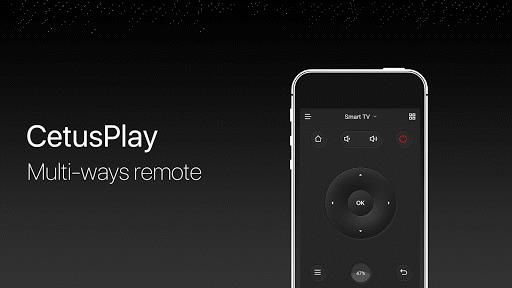
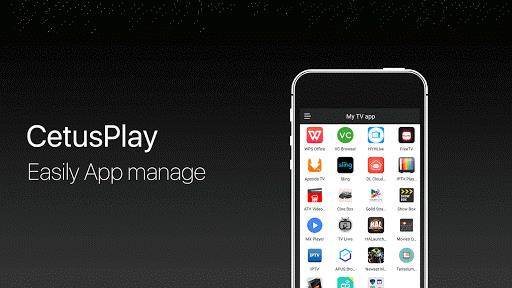
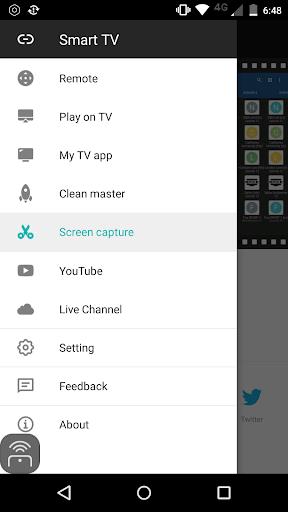
Navigate your TV with ease using the intuitive direction pad, touch pad, keyboard, or mouse modes. Beyond basic control, CetusPlay boasts impressive capabilities: stream local files (photos, videos, documents) directly to your TV, launch apps with a single tap, optimize performance by clearing cache and junk files, and instantly share screen captures on social media. It's the perfect companion for any streaming device.
Key Features:
- Versatile Navigation: Enjoy effortless control with direction pad, touch pad, keyboard, and mouse input methods.
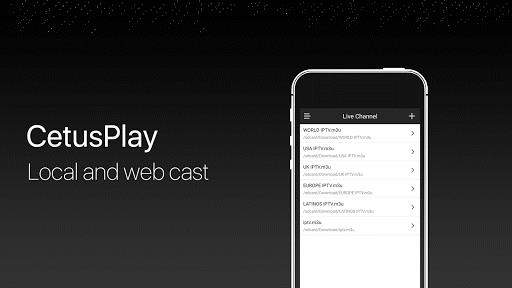
- Media Streaming: Seamlessly cast local files from your phone to your TV screen.
- Live TV Integration: Support for adding and streaming local M3U files to your TV or TV box.
- One-Touch App Launch: Quickly access your favorite TV apps with a single click.
- Performance Booster: Optimize your TV's performance by clearing cache and temporary files.
- Social Sharing: Easily share your favorite screen captures on social media platforms.
In Summary:
CetusPlay Remote Control delivers a superior TV remote experience. Its comprehensive feature set, including multiple control methods, media casting, app shortcuts, performance optimization, and social sharing capabilities, elevates it beyond a simple remote. Compatible with a vast array of devices, including Android TVs, TV boxes, Chromecasts, Fire TVs, Fire TV Sticks, KODI, and Smart TVs worldwide, CetusPlay is the ultimate upgrade for your home entertainment setup. Download CetusPlay today and transform your TV viewing experience.