Many games launch with optimization issues, later patched. *FragPunk*, however, has enjoyed smooth performance since release, though frame rate improvements are always welcome. This guide details optimal *FragPunk* settings and crosshair codes for enhanced gameplay.
Recommended Videos FragPunk Settings Overview
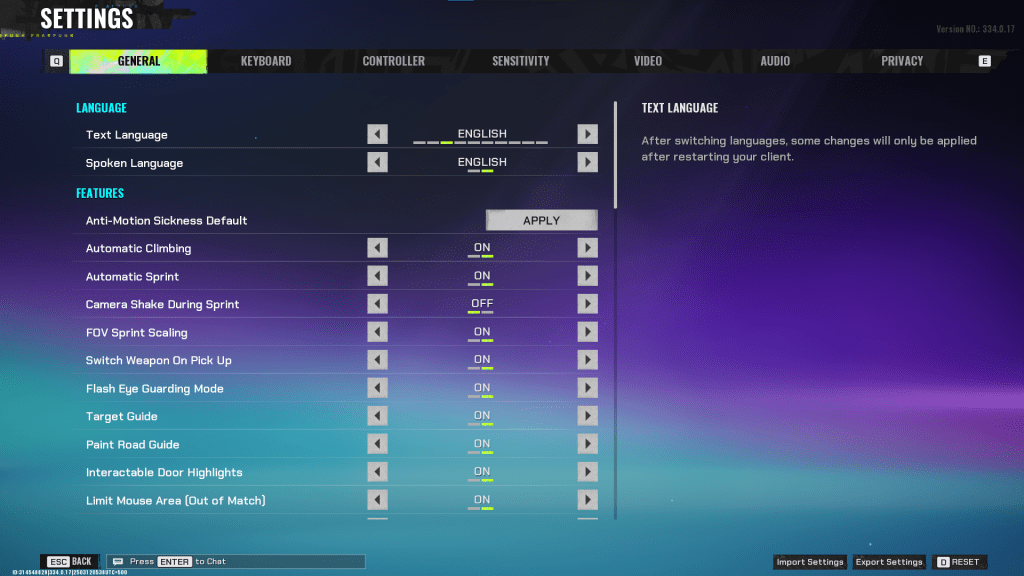
*FragPunk*'s settings are divided into five tabs. Beyond the Video tab, most settings affect quality of life and accessibility, not performance. However, some improve gameplay. We'll highlight those; others can remain at default or be adjusted to preference.
General
The General tab houses quality-of-life and personal preference settings. Experiment to find your ideal configuration. These are recommended adjustments, but some preference remains.
- Automatic Climbing – On
- Automatic Sprint – On
- Camera Shake During Sprint – Off
- FOV Sprint Scaling – On
- Flash Eye Guarding – On
- Keep Player Centered – On
- Minimap Orientation Rotate – On
- Performance Metrics – On
- Ping Visibility – 1
- Hide Overly Visible Skin Components from Enemies – On
Keyboard/Controller
Customize your keybindings here. A key suggestion: with Automatic Sprint enabled, rebind walking to Shift, mirroring common tactical shooters like *VALORANT* and *CS2*.
Sensitivity
Personal preference dictates sensitivity settings. Experiment or use online calculators to convert settings from other games like *VALORANT* or *CS2*.
Audio
Adjust Sound Effects to a comfortable level. Lower Music, Announcer, and Button Volume. Enable Character Voice Simplification to reduce unnecessary audio.
Voice Chat settings are personal preference.
**Related: FragPunk Codes (March 2025)**
FragPunk Best Video Settings
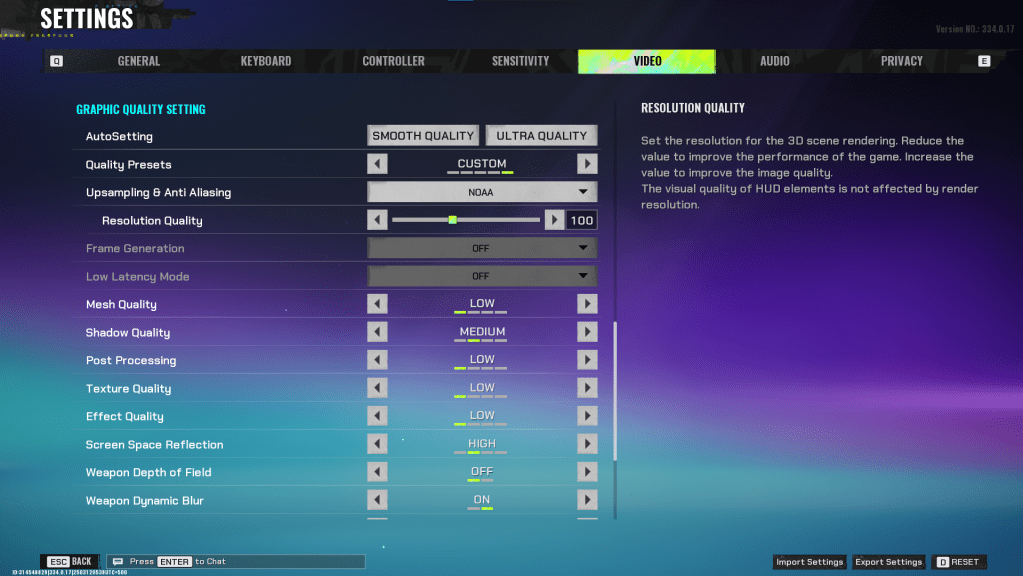
The Video tab offers the most significant performance gains. These settings prioritize performance over visual fidelity. *FragPunk*’s competitive nature emphasizes frame rates. High-end PCs might tolerate higher quality; for most, these are optimal for performance.
Display
| Display Screen | Your Preferred Monitor |
| Display Mode | Fullscreen |
| Display Ratio | Monitor’s Default |
| Display Resolution | Monitor’s Native |
| FOV | 125 |
| Filter | Default or Personal Preference |
| Post Processing Intensity | None or Low |
| Menu Frame Rate Limit | 60 |
| Gameplay Framerate Limit | Monitor’s Refresh Rate |
| Out of Focus Framerate Limit | 60 |
| Brightness | 1 or adjust according to preference |
| Sharpen | Same as Brightness |
| Vertical Sync | Off |
| Antii-tearing | Off |
| Graphics API | Experiment with DX11 and 12 to see what works best with your system |
Minimalistic Graphics
Activating Minimalistic graphics reduces visual effects, yielding a 15-20 fps gain (based on testing), but with noticeable visual downgrades. Consider this trade-off if needed:
| Material Complexity | Minimalistic |
| Light Complexity | Minimalistic |
| Scene Saturation | Minimalistic |
| Effects Complexity | Minimalistic |
| Dead Effect | Off |
| Damage Numbers | On |
| UI Info Simplification | On |
| UI Animation Simplification | Off |
Graphics Quality Settings
| Quality Presets | Custom |
| Upscaling and Anti-Aliasing | Depending on your GPU, choose FSR 2 with Performance for AMD GPUs or NVIDIA Image Scaling with Performance for NVIDIA GPUs. You can also just set it to NOAA with 100% if you don’t want to use any upscaling. |
| Mesh Quality | Low |
| Shadow Quality | Medium |
| Post Processing | Low |
| Texture Quality | Low |
| Effect Quality | Low |
| Screen Space Reflections | High |
| Weapon Depth of Field | Off |
| Weapon Dynamic Blur | On |
| Scene Dynamic Blur | Off |
| Ray Tracing | Off |
| SSGi | On |
| UI Resolution | High. Doesn’t affect in-game FPS. |
| Animation Physical | Off |
FragPunk Best Crosshair Codes
A well-chosen crosshair enhances *FragPunk* gameplay. Here are some options:
Classic Plus
azazafzaezaezaezaezfczazaabzaafzazaaabzazaczaczaczaczfcbzbzaabzaafzazaaabzFFFFFFzFFFFFFClassic Dot
czazafzaezagzagzagzfczbzaabziedzazaaabzazaczaczaczaczfcbzbzaabzaafzazaaabzFFFFFFzFFFFFFPrecision Plus
azazafzaezaezaezaezabzazaabziedzazaaabzazaczaczaczaczfcbzbzaabzaafzazaaabzFFFFFFzFFFFFFClassic T Shaped
bzazafzaezaezaezaezabzbzaabziedzazaaabzazaczaczaczaczfcbzbzaabzaafzazaaabzFFFFFFzFFFFFThese are the optimal *FragPunk* settings and crosshair codes. *FragPunk* is available now on PC.