Hyper Light Breaker Multiplayer Guide: Friends and Randoms
Hyper Light Breaker, the 3D rogue-lite successor to Hyper Light Drifter, introduces a key new feature: multiplayer. This guide details how to play co-op with friends and join random online matches.
Playing with Friends
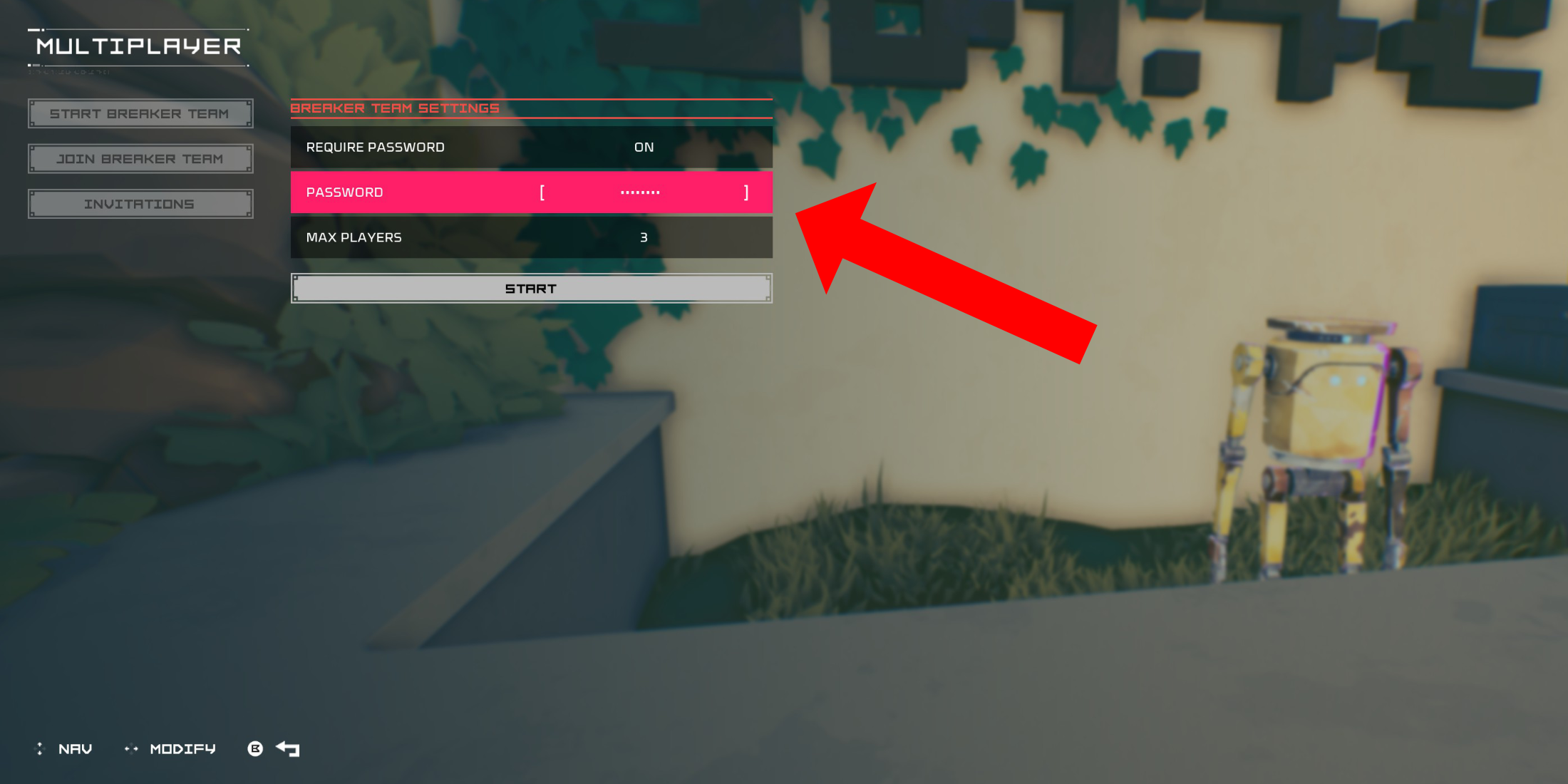 To play co-op with friends, create a private multiplayer room. In the Cursed Outpost hub, interact with the counter to the left of Pherus Bit to access the Multiplayer menu. Select "Create Breaker Team."
Enable "Password Required," set a password, and invite up to two friends via your platform's social features (PSN, Xbox, Steam supported). The game supports three-player groups. Friends can join via the invitation or by searching for your team in the "Join Breaker Team" menu using the password.
Random Online Matchmaking
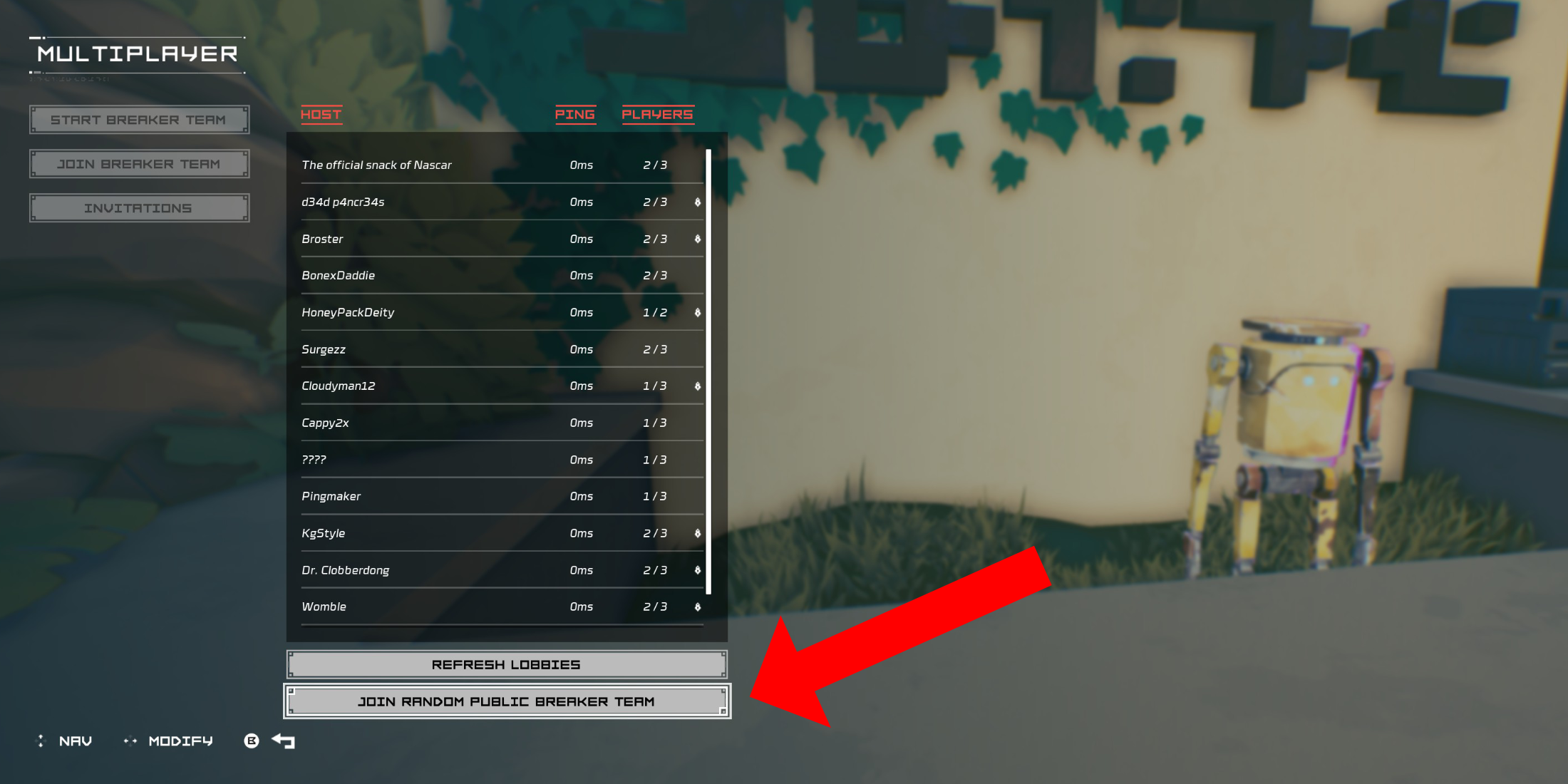 To play with random players, utilize the public group system. In the Multiplayer menu, choose "Join Breaker Team," then select "Join Random Public Breaker Team" at the bottom. The game will match you with an available public team.
Disconnecting from a Multiplayer Session
To leave a multiplayer session, return to the Multiplayer menu via the counter in the Cursed Outpost. A "Disconnect" option will appear; select it to return to your solo game. Alternatively, simply quit the game.