For serious Path of Exile 2 endgame players, a well-configured loot filter is essential. It drastically reduces screen clutter, making mapping less overwhelming and focusing your attention on valuable items. FilterBlade, the popular filter manager from Path of Exile 1, now supports PoE 2. Here's how to use it.
Quick Links
- How to Set Up FilterBlade Loot Filters in Path of Exile 2
- Which Loot Filter Strictness Should You Choose?
- How to Customize FilterBlade Loot Filter in PoE 2
How to Set Up FilterBlade Loot Filters in Path of Exile 2
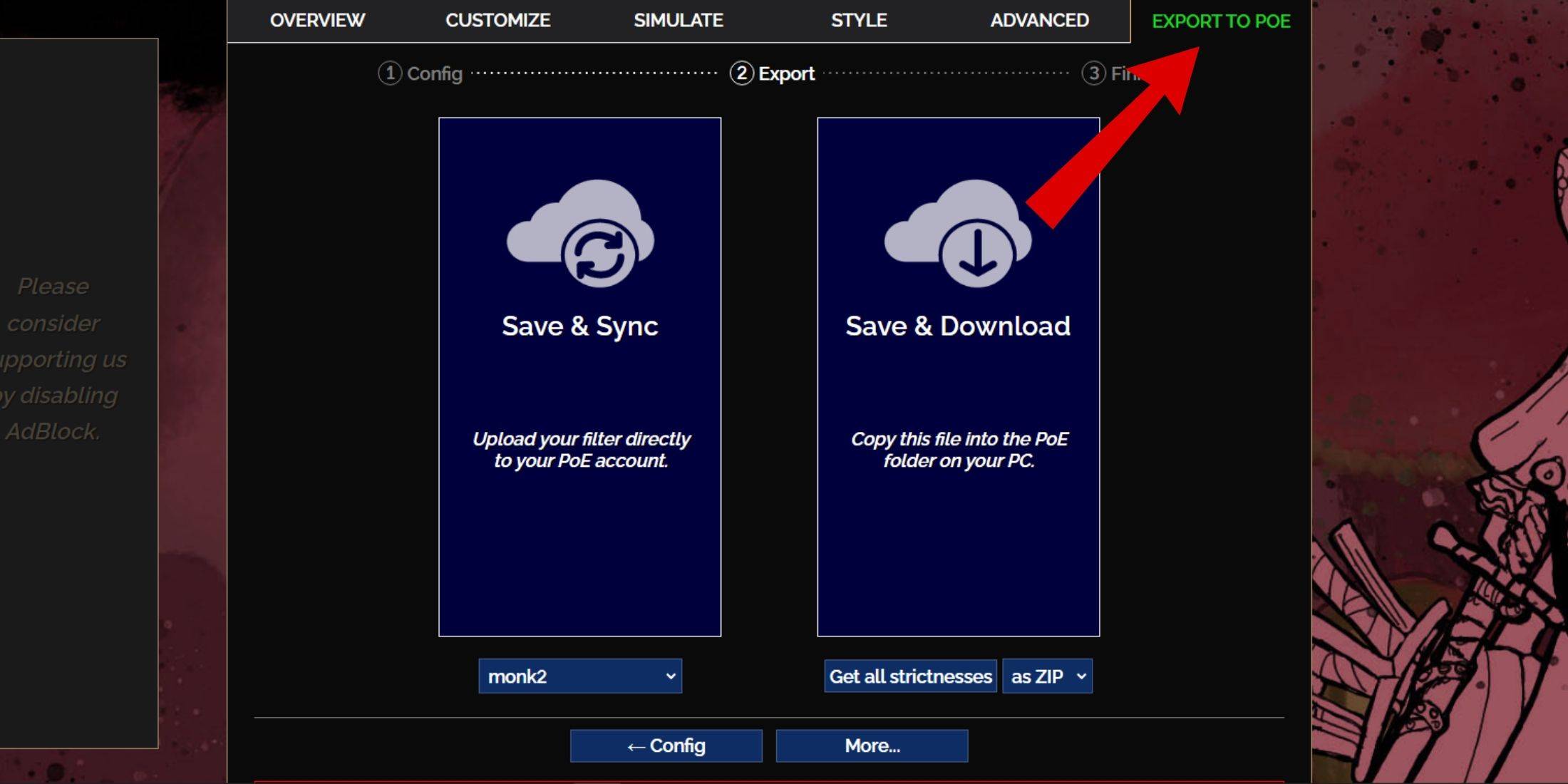
- Go to the FilterBlade website.
- Choose PoE 2. The default NeverSink filter will be selected.
- Adjust the Strictness slider (explained below).
- Go to the "Export to PoE" tab.
- Name your filter.
- Click "Sync" or "Download":
- Sync: Automatically updates your PoE 2 filter with FilterBlade changes.
- Download: Downloads the filter to your PC. Useful for comparing different strictness levels.
- In PoE 2, go to Options -> Game.
- If you synced, select your FilterBlade filter from the Item Filter dropdown.
- If you downloaded, use the folder icon to locate your downloaded filter.
Which Loot Filter Strictness Should You Choose?
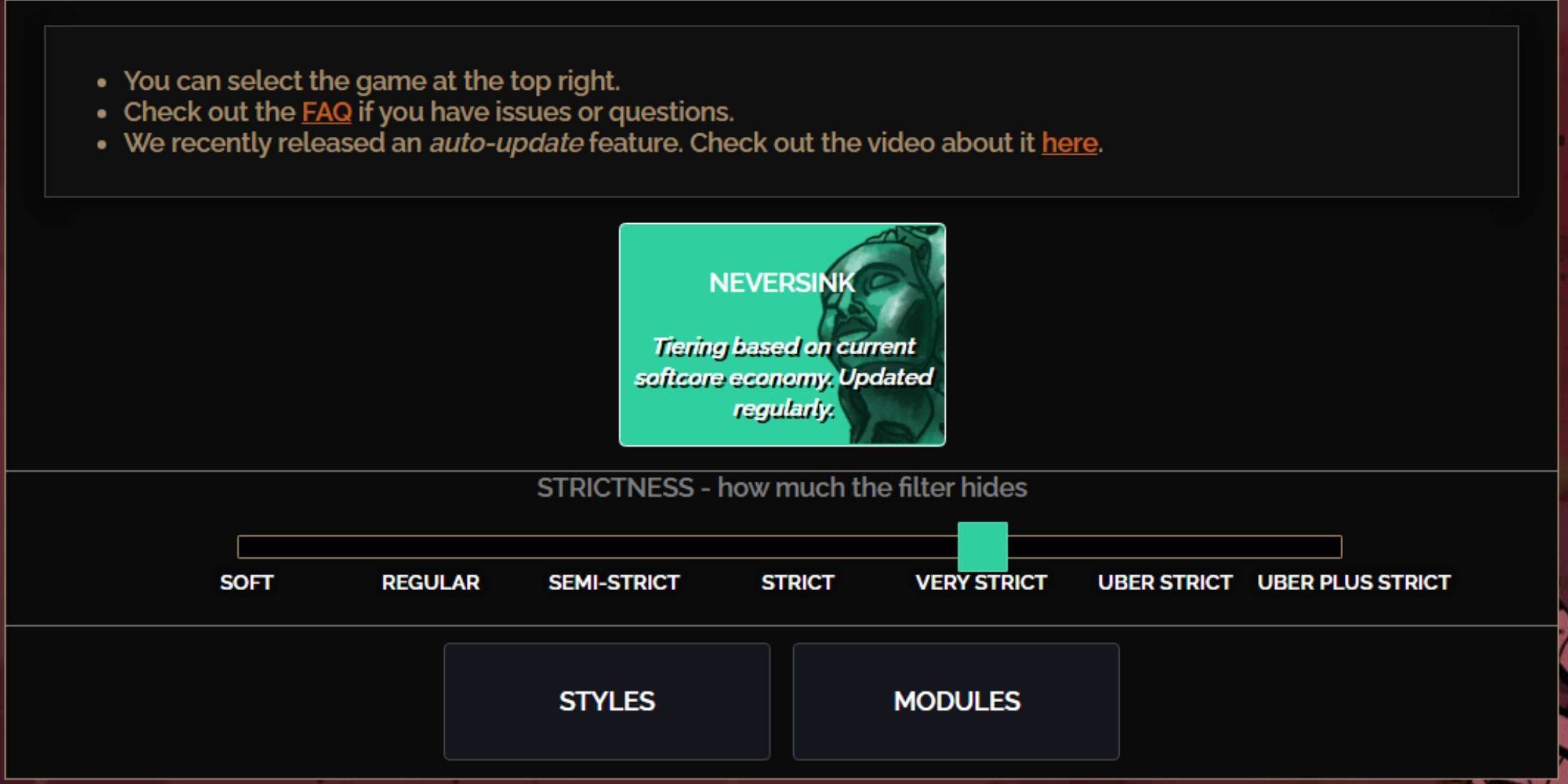
NeverSink FilterBlade offers seven strictness levels:
| Strictness | Effect | Best For |
|---|---|---|
| Soft | Highlights valuable items and materials only. | Act 1-2 |
| Regular | Hides only useless items. | Act 3 |
| Semi-Strict | Hides low-potential/limited-value items. | Act 4-6 |
| Strict | Hides most items without high turnover. | Early Mapping (Waystones 1-6) |
| Very Strict | Hides low-value rares and crafting bases. | Mid-late Mapping (Waystones 7+) |
| Uber Strict | Hides almost all non-tiered rares. | Late Mapping (Waystones 14+) |
| Uber Plus Strict | Hides nearly everything except high-value items. | Ultra Endgame (Waystones 15-18) |
For returning players, start with Semi-Strict. Soft and Regular are best for fresh league starts. Pressing ALT (PC) highlights hidden items, but their names are minimized for easier gameplay.
How to Customize FilterBlade Loot Filter in PoE 2
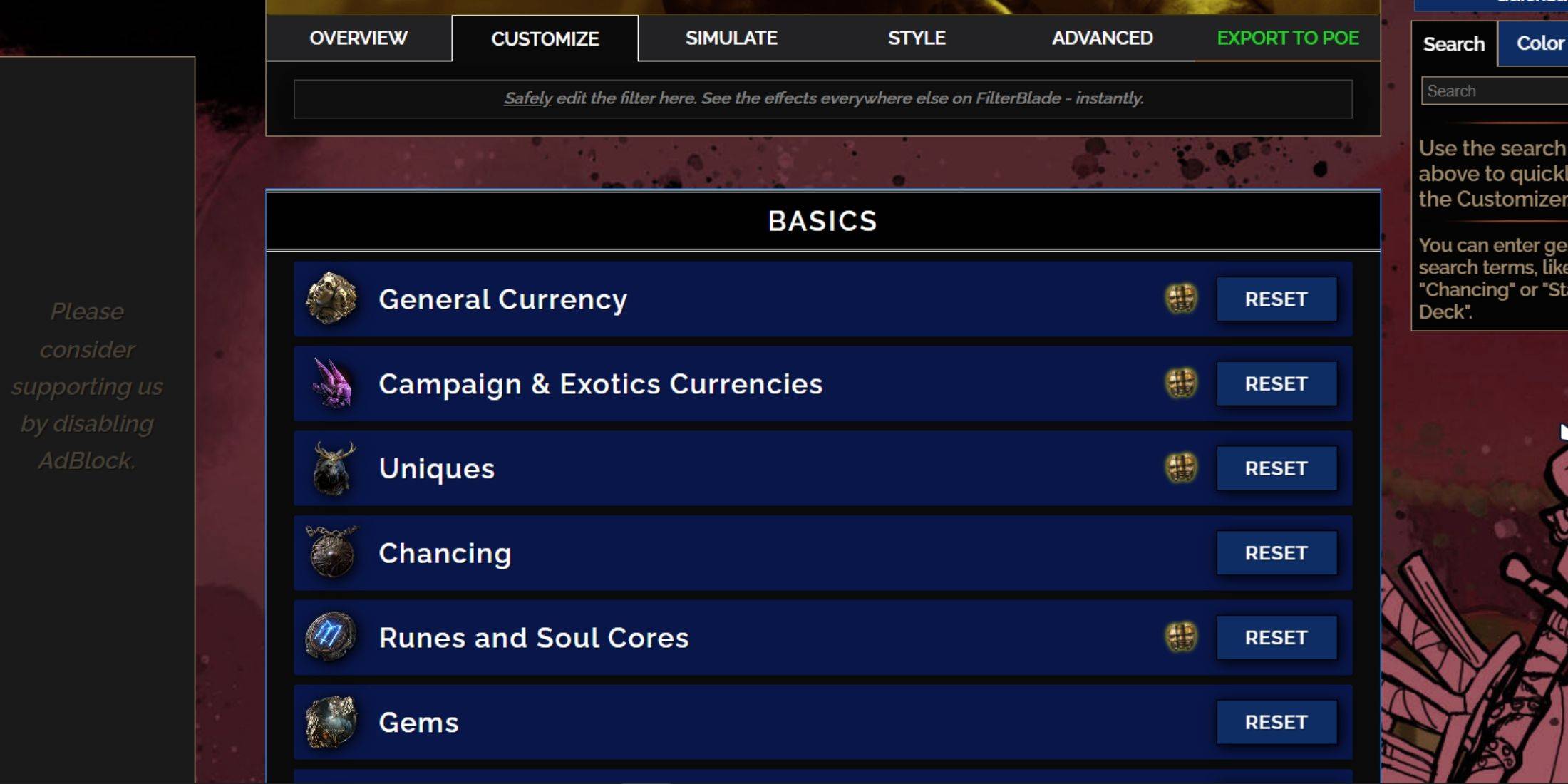
FilterBlade's strength lies in its easy customization.
Using the Customize Tab
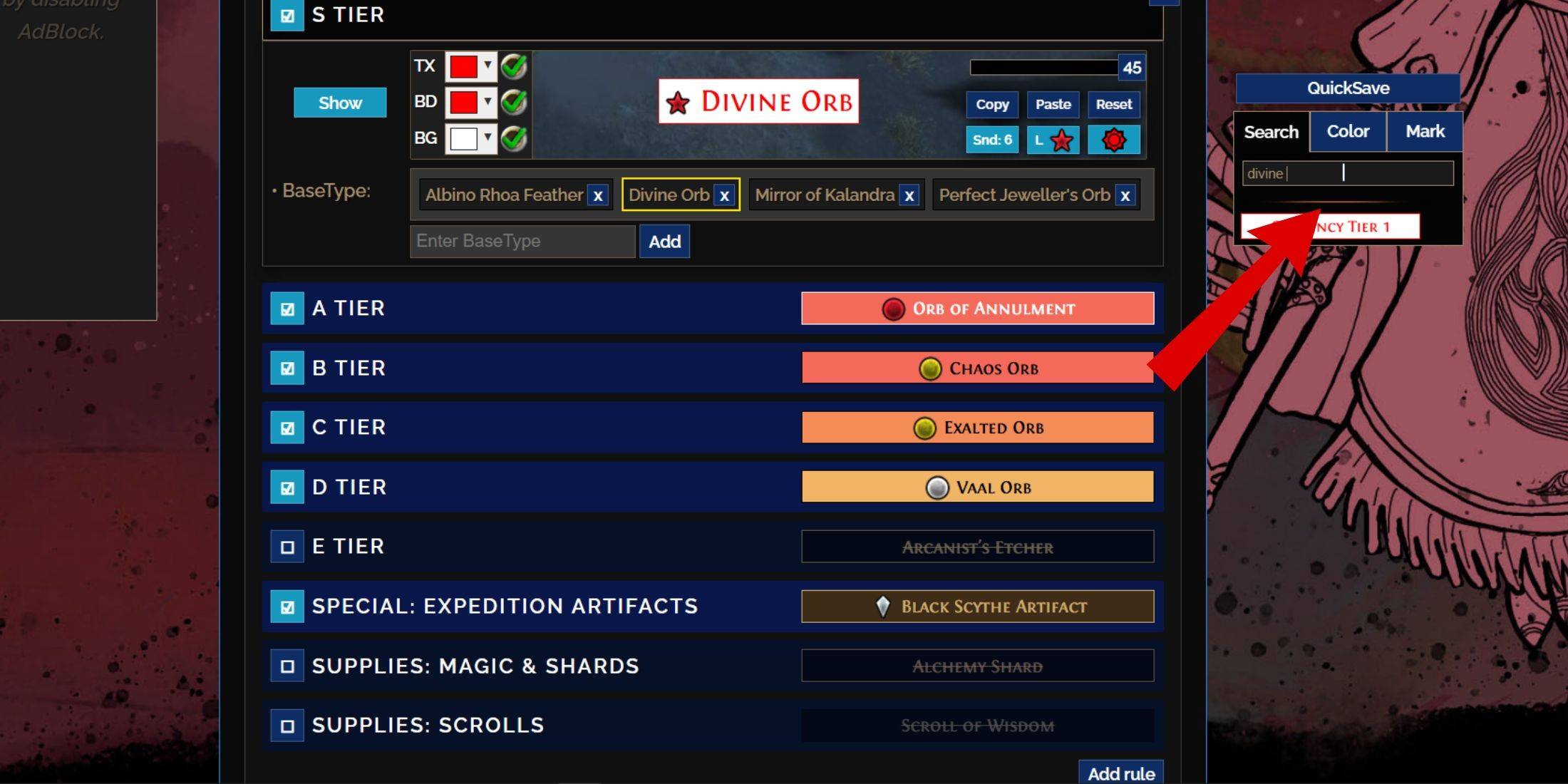
The "Customize" tab lets you modify any item's appearance. Search for an item (e.g., "Divine Orb") to find its settings, including visual and audio previews.
Changing Colors and Sounds
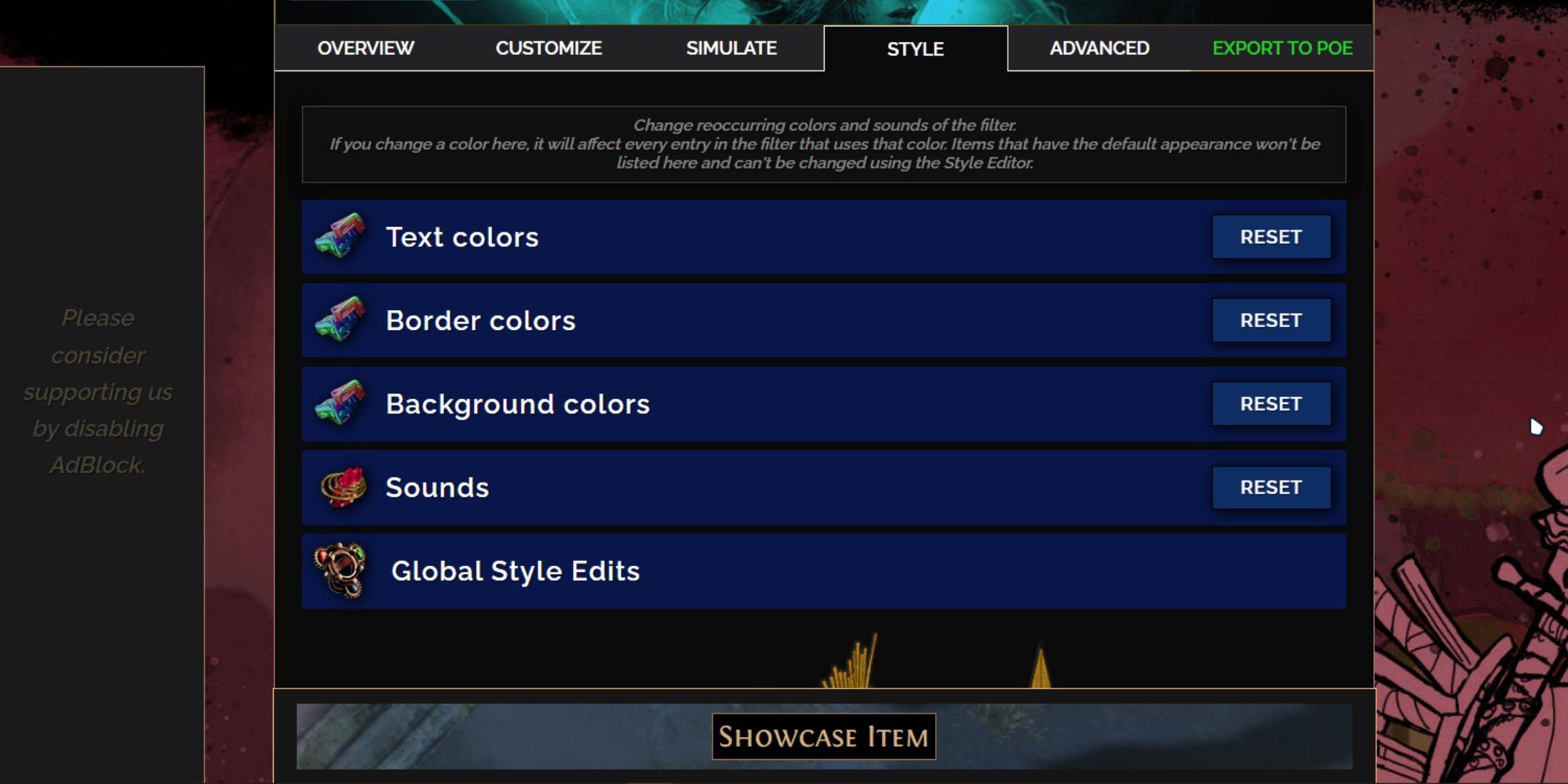
Change colors and sounds filter-wide in the "Styles" tab, or individually in the "Customize" tab. You can even add custom sounds (.mp3). Experiment with community-made Modules for pre-set visual and audio changes.