Razer Nexus: Elevate Your Mobile Gaming Experience
Razer Nexus transforms your mobile device into a console gaming powerhouse, perfectly complementing the Razer Kishi V2 controller. This comprehensive app offers a curated game library, streamlined game management, and extensive controller customization options. Beyond simple game launching, Nexus unlocks a world of enhanced mobile gaming possibilities.
Key Features of Razer Nexus:
-
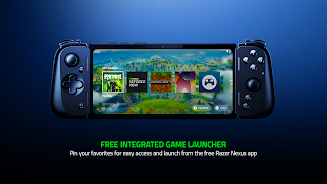
Console-Quality Mobile Gaming: Experience console-level gameplay on your phone or tablet. Launch games directly from the app, manage favorites, and fine-tune settings for optimal immersion. Simply press the Nexus button on your Kishi V2 to access the app.
-
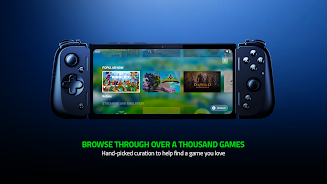
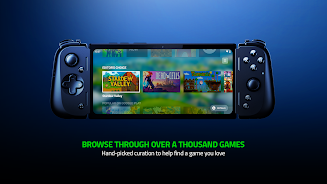
Extensive Game Compatibility (1000+ Titles): Discover a hand-picked selection of games across various genres. Browse through recommended titles and watch optional video trailers before downloading. Enjoy seamless controller support with any game or service that supports controllers.
-
Ultimate Kishi V2 Integration: Customize your Kishi V2 settings, update firmware, and remap multifunction buttons. Effortlessly capture screenshots and record gameplay videos with dedicated controls. The app automatically launches when your Kishi V2 connects and closes upon disconnection.
-
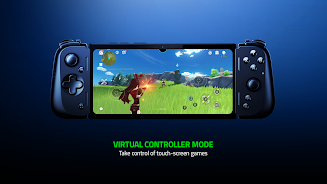
Virtual Controller Mode: Play touchscreen games with your Kishi V2 using Nexus's built-in Virtual Controller mode. No need for third-party apps or complex setups. Map virtual buttons to on-screen controls, adjust sensitivity, and enjoy advanced camera control and MOBA Smart Cast support.
-
Xbox Cloud Gaming Access: Stream and play Xbox Cloud Gaming titles directly within the Nexus app (Xbox Game Pass Ultimate subscription required for most games). Experience enhanced immersion with controller vibration support (Kishi V2 Pro).
-
Latest Updates: The latest version boasts a redesigned game catalog with improved recommendations and trailers, dynamic color and background customization, an integrated tutorial, a dedicated Favorites row for quick access, and improved automatic launch and screen lock functionality.
In Conclusion:
Razer Nexus is the essential companion for any Razer Kishi V2 user. Download it today and transform your mobile gaming experience.